14
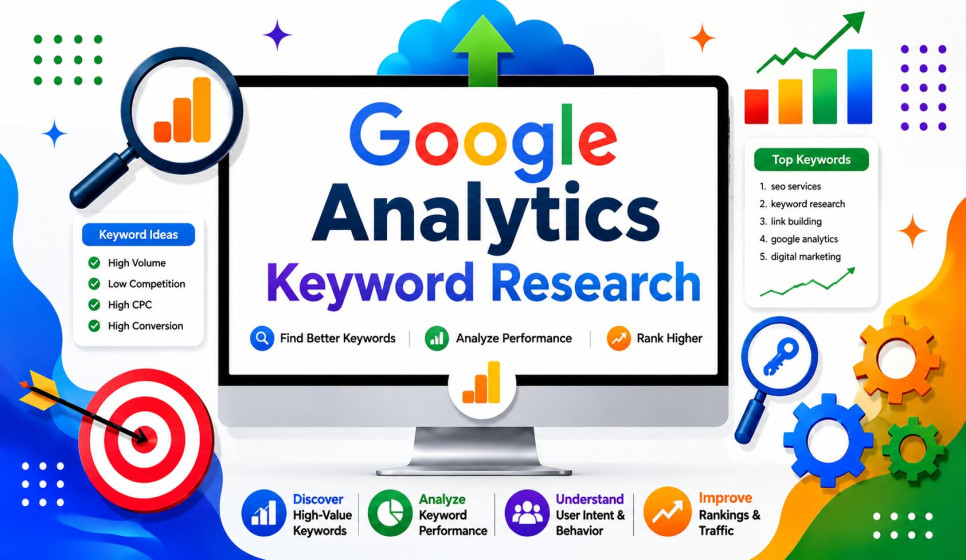
JulGoogle Analytics Keyword Research for Higher Search Engine Rankings
Keyword research plays a vital role in the process of search engine optimization, or SEO.While many digital marketers and SEO experts depend on high-end keyword research tools, there's a powerful and free platform called Google Analytics that can offer essential insights into how people discover and interact with your website. When used in conjunction with Google Search Console, Google Analytics becomes an even more effective tool, offering deep understanding of your audience's behavior and how your content performs in search results.
This guide will walk you through the process of using Google Analytics for keyword research, explain why it is an important part of your SEO strategy, and show you how to use the insights gained from the data to boost organic traffic and enhance your website's overall SEO performance.
What Is Google Analytics?
Google Analytics is a free web analytics tool developed by Google.
It helps track and analyze the traffic that comes to your website, offering a comprehensive range of data about your visitors. It can tell you where your visitors are coming from, which pages they visit, how much time they spend on your site, and what actions they take while they're there. This information gives you a clear picture of how your audience interacts with your content and how you can improve their experience.
Although Google Analytics doesn't show every exact search term people use to find your website—due to privacy regulations—it remains a crucial part of your SEO toolkit. It helps you understand how well your organic search traffic is performing once people arrive on your site, giving you the insights needed to refine your content and marketing strategies.
Why Use Google Analytics for Keyword Research?
Keyword research involves more than just finding words that have a high search volume. It also means identifying which search terms attract the right kind of visitors—those who are genuinely interested in your content and likely to take action, such as making a purchase, signing up for a newsletter, or sharing your content on social media.
Google Analytics can help you with the following:
Track how your organic traffic is performing across different pages
Identify which of your pages are driving the most traffic and engagement
Discover content that is resonating well with your audience
Analyze user behavior on your site, such as bounce rate and time on page
Measure conversions that come from organic search traffic
Refine your content strategy to better match what your audience is searching for
Find opportunities to improve your rankings for specific keywords
When combined with Google Search Console, you can get a more complete view of how your website is performing in terms of both keyword visibility and user interaction. This dual approach gives you the data you need to fine-tune your SEO efforts and better meet the needs of your target audience.
Connect Google Analytics with Google Search Console
To get the most comprehensive insights from your keyword research, link your Google Analytics account with your Google Search Console.
This connection allows you to:
See the exact search queries people are using to find your website
Evaluate how well your landing pages are performing for specific keywords
Monitor how many times your site is shown in search results (impressions)
Track how many people click on your website from search results (clicks)
Measure the percentage of people who click on your links from search (click-through rate or CTR)
Determine the average position your website is showing up in search results for specific keywords
Together, these two tools provide valuable, actionable data that you can use to improve your SEO strategy, refine your content, and boost your website's visibility in search engine results.
Analyze Organic Traffic
One of the initial reports that you should look into is your organic traffic.
This can help you understand how well your website is attracting visitors through search engines. Here are some key elements to focus on:
Total organic visitors: This tells you how many people are coming to your site naturally from search engines.
Traffic growth over time: Checking this helps to identify trends and see whether your efforts are paying off.
Top landing pages: These are the pages that receive the most traffic and can give you a sense of what's working.
Returning visitors: This indicates how engaged your audience is and whether they keep coming back.
Geographic locations: Knowing where your visitors are from can help you tailor your content and marketing strategy accordingly.
Devices used: Understanding the devices people use to access your site can guide your responsive design and mobile optimization efforts.
If your organic traffic is consistently increasing, it's a good sign that your SEO efforts are on the right track.
Identify Top Landing Pages
Landing pages are often your strongest assets when it comes to SEO.
Review the pages that are receiving the most organic traffic and consider the following questions:
Why are these pages performing so well?
What keywords might they be targeting?
Could similar content be developed for other topics?
Is there potential to expand or enhance the page further?
High-performing pages can reveal keyword opportunities for future content creation.
For instance, you may find specific topics or related keywords that are not yet covered.
Evaluate User Engagement
Although ranking on Google is a crucial part of SEO, it's not the only factor in determining the success of your website.
User engagement is just as important as your search engine rankings.
Key engagement metrics to track include:
Average engagement time: This measures how long visitors stay on your site.
Pages viewed per session: This tells you how many different pages a visitor views during one session.
Bounce rate (or engagement rate in GA4): A high bounce rate means that visitors are leaving quickly without exploring your content.
Scroll depth (if configured): This measures how far down a page a visitor scrolls.
Returning users: This indicates how loyal your audience is and whether they keep coming back.
If visitors leave your site quickly, it might mean that your content isn't meeting their expectations or fulfilling their search intent.
So, it's important to analyze why they're leaving and improve your content accordingly.
Measure Conversions
Not all keywords are equally valuable for your business.
Track the following conversions to understand the business impact of different keywords:
Contact form submissions
Newsletter signups
Product purchases
Phone calls
Quote requests
Service inquiries
A keyword that drives fewer visitors but more conversions can be more valuable than one with high traffic but low conversion rates.
Therefore, it's essential to focus on the keywords that bring in the most meaningful engagement and business value.
Use Google Search Console Keyword Data
Google Search Console provides additional keyword insights that Google Analytics alone cannot give.
Key metrics from Search Console include:
Search Queries: View the actual terms people use before clicking on your website.
For example, they may search for terms like "SEO keyword research" or "link building services." Impressions: This shows how often your pages appear in search results. High impressions without many clicks suggest that your page titles, meta descriptions, or rankings may need optimization. Click-Through Rate (CTR): This measures how many people click on your page after seeing it in the search results.
Improving your CTR can increase your traffic without necessarily improving your search rankings. To do this, you can improve your page titles, use clear and descriptive meta descriptions, include relevant headings, and add strong calls to action.
Discover Content Opportunities
Review your top-performing pages to identify related topics that could be explored. For example, if a page covering "Keyword Research" is performing well, you can create related content such as:
Best Free Keyword Research Tools
Long Tail Keyword Strategies
Keyword Research for Beginners
SEO Keyword Planning Guide
Google Search Console Tips
Building a network of related content improves your website’s authority and helps to organize your information in a more structured way.
Find Low-Hanging Fruit Keywords
Low-hanging fruit refers to keywords that are already ranking on the second page of Google. These keywords usually require only minor improvements to move up in search results.
Here are some ways to optimize for these keywords:
Update existing content to make it more relevant and useful.
Add new sections or subsections to expand the information.
Improve internal links to help search engines understand your content better.
Refresh statistics and data to ensure accuracy.
Add images to enhance visual appeal and user experience.
Make sure the page is easy to navigate and visually pleasing.
Even small adjustments on these pages can lead to significant improvements in your search rankings.
Understand User Intent
Every keyword represents a specific goal or intent of a user.
Understanding this intent is crucial for creating content that meets the needs of your audience.
Common types of user intent include:
Informational: Users are looking for answers or information.
For example, they may search for "What is Google Analytics?"
Navigational: Users want to visit a specific website.
For example, they may search for "Google Analytics login."
Commercial: Users are comparing products or services.
For example, they may search for "Best SEO tools."
Transactional: Users are ready to buy.
For example, they may search for "Buy keyword research services."
Your content should be aligned with the intent behind each keyword.
If you're targeting an informational keyword, you should provide clear, accurate, and helpful information. If the keyword is transactional, then your content should be focused on converting visitors into customers.
Improve Internal Linking
Google Analytics can help you identify the most popular pages on your website.
Use these pages to link to related content such as:
Blog posts
Service pages
Product pages
Case studies
Contact pages
Internal linking helps to distribute page authority across your website and makes it easier for search engines to crawl and index your content.
It also improves the user experience by helping visitors navigate through your site more effectively.
Optimize Existing Content
Updating existing content is often a more efficient way to improve your SEO without the need to create new pages.
When reviewing your content, look for the following:
Outdated information that may no longer be accurate.
Missing keywords that could be added to improve search visibility.
Broken links that need to be fixed.
Thin sections that don't provide enough value to the reader.
Poor formatting that makes the content difficult to read.
Adding new examples, statistics, FAQs, and visuals can make your content more engaging and help boost your rankings.
Monitor Mobile Performance
Mobile searches now make up a large portion of all web traffic.
Google Analytics can help you understand how your mobile audience is interacting with your site.
Here's what you can look for:
Mobile users: This tells you how many people use mobile devices to access your site.
Device categories: This can help you understand the types of devices your visitors use.
Mobile conversions: This measures how many visitors complete desired actions on mobile.
Engagement by device: This shows how users interact with your site on different devices.
To ensure a great mobile experience, make sure your website:
Loads quickly
Uses a responsive design that works on all screen sizes
Has readable text that's easy to read on smaller screens
Provides easy navigation
Includes clear calls to action
A mobile-friendly website not only improves the user experience but also helps to enhance your search engine rankings.
Track SEO Progress
It's important to monitor your SEO performance regularly.
Monthly reports can help you keep track of your progress and make necessary adjustments.
Key metrics to track include:
Organic users: This shows the number of visitors coming to your site from search engines. Organic sessions: This indicates how many sessions are coming from organic search. Engagement rate: This measures how engaged your visitors are.
Conversion rate: This tells you how many visitors take a desired action on your site.
Landing page performance: This helps you understand which pages are working best. Goal completions: This shows how many visitors complete a specific action, such as filling out a form. Returning visitors: This indicates how loyal your audience is to your site.
Comparing your performance month to month can help you identify trends and see how your SEO strategies are impacting your business over time.
Common Mistakes to Avoid,
Avoiding these common SEO errors can help improve your website's performance:
Ignoring user engagement metrics: Understanding how users interact with your content is essential for improving SEO. Focusing only on traffic instead of conversions: Traffic alone doesn't tell the whole story. Conversions are a better measure of your SEO success. Not connecting Google Analytics with Google Search Console: Combining data from these tools provides a more comprehensive view of your SEO performance. Publishing duplicate content: This can lead to penalties from search engines and harm your rankings. Ignoring mobile optimization: Since mobile searches are so common, it's essential to ensure your site is mobile-friendly. Using outdated keywords: Failing to update your keywords can lead to a drop in rankings. Neglecting internal linking: Internal links help spread authority and improve navigation. Failing to update older pages: Keeping your content fresh and up to date improves SEO and user experience.
Consistent optimization and a regular review of your SEO strategy lead to better long-term results.
Best Practices for Google Analytics Keyword Research
To get the best results from your keyword research using Google Analytics, follow these best practices: Connect Google Analytics with Google Search Console: This provides a more complete view of your keyword performance and SEO strategy. Monitor organic traffic every month: Regularly reviewing your traffic helps you identify trends and make informed decisions. Optimize pages with high impressions but low CTR: These pages might be
If you have any questions or concerns, please contact us:
Website: https://rmfreelancer.com/
Email: support@rmfreelancer.com
Phone: +1 307-243-8976
RMFreelancer Office:
30 N Gould St, Ste R, Sheridan, WY 82801, USA


